
Paint by Numbers Guides

A Creovia beginner guide
Choose a Travel Landscape Photo for Custom Paint by Numbers
Choose a travel photo by comparing landmarks, crop, lighting, and the custom preview.
Choose a travel photo for custom paint by numbers by deciding which part of the place you want to recognize: a lighthouse, a stretch of coastline, a favorite street, or the people who were there with you. Start with a clear original, check how the photo fits the canvas, and inspect the custom preview before ordering.

Pick the part of the trip that matters most
A wide landscape can contain a beautiful memory and still place the landmark very far away. Compare it with a closer frame from the same trip. If the tower, bridge, boat, or building is the reason you chose the picture, make sure that feature remains distinct when you view the image at a smaller size.
A tighter crop may make a focal subject easier to see but can remove the mountain, shoreline, or street that gives it context. Try two versions and keep enough surroundings to preserve the story. If the closer crop becomes blurry, choose a sharper original instead of enlarging a low-resolution copy.

Check the crop and horizon
Travel photos are often panoramas, phone portraits, or wide landscape shots, while the selected canvas has its own proportions. Before checkout, inspect what the preview keeps at the top, sides, and bottom. A wide bay may lose buildings at the edges; a tall waterfall may lose part of its surrounding landscape. Avoid cropping away a recognizable landmark or the person who makes the memory meaningful.
If the preview is unclear, try a different crop or contact the seller with your question. A preview helps assess composition and color placement; it is not proof that every small sign, window, or distant face will appear exactly as photographed.
Compare light and detail, not just color
Look for a sharp subject with enough contrast against its surroundings. A dark tower against a dark hillside or a bright white building in an overexposed sky can be difficult to distinguish. Another frame taken from a similar viewpoint may show those shapes more clearly. Filters and resizing cannot recreate details missing from a blurry original.
For photographs containing people, check their comfort with the image being uploaded and displayed. Use a photo you have the right to use, including permission where needed for a professional photograph.
Choose the kit after choosing the photo
Creovia’s custom paint by numbers kit accepts travel photos and currently offers 30 × 40, 40 × 50, and 50 × 60 cm options, 24, 36, or 48 colors, and No Frame, DIY Frame, or Framed styles. Larger formats can provide more room for detail, but they cannot fix a soft original. Compare the options with your space, your painting preferences, and the actual preview.
If the trip included several people and the group is the main subject, our group photo cropping guide focuses on arranging faces. For the broader process, see how to choose a custom paint by numbers photo.
Frequently asked questions
Can I use a vacation photo for custom paint by numbers?
Yes. Creovia’s custom kit listing accepts travel photos. Choose a clear image you have permission to use, then inspect the preview before ordering.
Should I crop out people from a travel photo?
Only if the crop supports the memory you want to keep. If people are important, check that they remain recognizable in the preview and that they are comfortable with their photo being used.
Does a larger canvas guarantee every landmark detail?
No. More canvas space may help with detail, but a blurry source or tiny distant subject remains a limitation. Check the actual preview and ask the seller about important details.
Can I use a panorama as a custom painting?
You can try a panorama, but a long, narrow photo may need a significant crop to fit the available canvas proportions. Check the preview to see what remains in the composition.
Will the custom painting exactly match my travel photo?
An exact match is not promised. The product listing says the preview guides composition and color placement and that fine details and colors can vary.
Explore this topic
A kit to explore
Compare the current artwork and options on each product page before choosing.

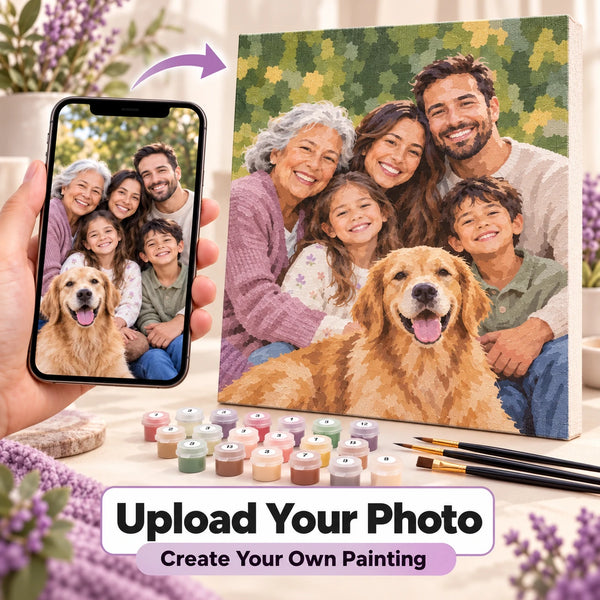
Custom Paint by Numbers Kit From Your Photo
$34.99
Turn a favorite photo into a personalized paint by numbers kit—and enjoy creating a keepsake that is uniquely yours. Upload your own pet, family, couple, portrait, or travel photo Choose...
Find your next project
Explore paint by numbers kits.
Custom Paint by Numbers Kit From Your Photo
$34.99

Moonlit Ocean Serenity Paint by Numbers Kit
$29.99

Herb Bundles in a Spell Kitchen Paint by Numbers Kit
$29.99

Chalk Cliffs Sea Grass Paint by Numbers Kit
$29.99

Woman With Teacup And Flowers Paint by Numbers Kit
$29.99

Yellow Mimosa In Blue Vase Paint by Numbers Kit
$29.99

Yellow Sunflowers And Daisies Paint by Numbers Kit
$29.99

