
Diamond Painting Guides
A Creovia beginner guide
How to Choose a Photo for a Custom Diamond Painting
Photo and size checks for planning a custom diamond painting.
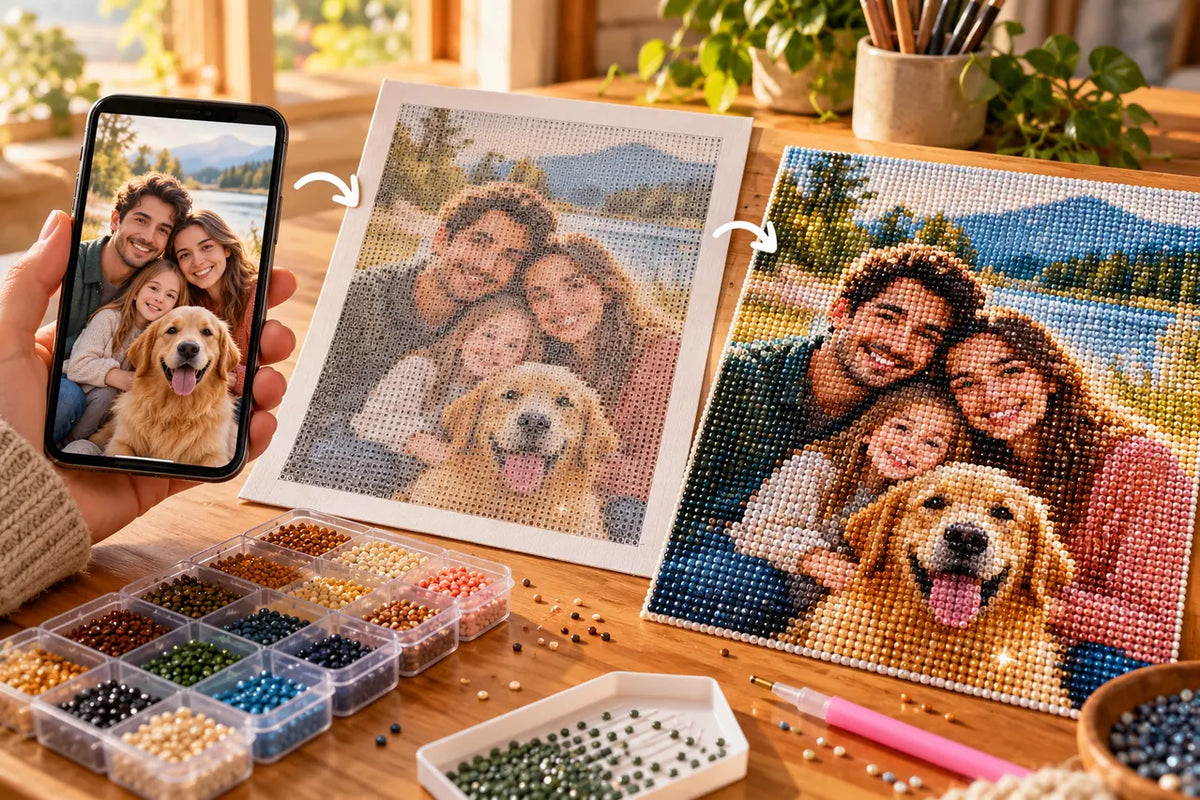
A useful photo for custom diamond painting has a clear subject, separation from the background, and enough detail at the chosen canvas size. Check how the product preview crops the image and compare available dimensions with the number of people or pets pictured.

Choose a photo with a clear focal point
Close, well-lit subjects are easier to read than a small figure surrounded by busy scenery. Avoid heavy blur, deep shadows across faces, or details that disappear when reduced. A simple background helps the main subject stand out.
Think about crop and composition
Leave breathing room around faces, ears, and other important features. A square crop may remove part of a wide photo, so check the on-page preview rather than assuming the whole original will fit. Make sure distinctive markings remain inside the crop.

Match canvas size to the scene
The current custom photo kit lists sizes from 30 × 40 cm through 60 × 80 cm and offers round or square variants. Its guidance recommends smaller sizes for a simple close-up and larger options for groups or detailed backgrounds. The page accepts JPG or PNG up to 20 MB; check the current listing for options and whether a frame is included.
Before uploading, make a copy and inspect the crop
Keep the original photo unchanged and prepare a duplicate if you want to crop or brighten it. Check the preview at the product’s actual crop, especially around the edges. Avoid filters that shift fur, skin, or background colors so strongly that the subject loses definition.
Use a photo you have the right to submit. A family image or pet portrait can be personal, so consider who can access the file and whether everyone shown is comfortable with its use. The product preview and current listing should guide the final choice.
Choose a photo with a clear subject
A custom diamond painting turns a supplied image into a coded design, so the source photo matters. Begin with a sharp image where the main subject is easy to identify. Faces, pets, and objects should be large enough in the frame to retain their important features. A distant subject surrounded by busy background can become harder to read when converted into a grid of colors.
Check lighting and contrast on a normal screen. Very dark shadows, bright reflections, and similar tones close together may hide edges. A photo with natural separation between subject and background gives the design more visual structure. Cropping can help, but keep the parts of the subject you want to preserve inside the frame.
Think about crop and canvas dimensions together
Before upload, compare the image’s shape with the canvas options shown in the product listing. A portrait photo placed on a wider canvas may require a crop or empty space; a wide group shot may lose people if forced into a narrow format. Decide what can be cropped before ordering, and review any preview the product page provides. Do not assume that every size preserves the same framing.
Canvas size influences how much room is available for small details. When several people or fine features matter, compare the available dimensions and consider whether the subject will remain readable. The largest option is not automatically necessary for every image, but a very small format may simplify fine details.
Check the upload requirements and image rights
The current custom diamond painting product page lists JPG or PNG uploads up to 20 MB and canvas choices from 30 × 40 to 60 × 80 cm, with round and square drill options. Verify the live page before ordering in case its options have changed. Use an image you have permission to reproduce, especially when it includes another person or artwork.
Keep the original file and avoid repeatedly saving a compressed screenshot. If the preview looks cropped differently from what you expected, stop and review the selected ratio and option before checkout. Clear preparation gives you a better chance of recognizing the intended subject in the finished coded design.
Evaluate the preview before confirming the order
Compare the preview with your source photo: are the main faces or subject features still visible, is the crop acceptable, and does the canvas ratio match the composition? A preview is a useful check, but it cannot guarantee every tiny detail will appear exactly as it does on a screen. Treat it as a chance to catch framing choices before proceeding.
For a pet portrait, keep the eyes and distinctive markings clear. For a group photo, check that no person sits close to a crop boundary. If an image needs substantial editing, use a copy and preserve the original file.
Frequently asked questions
What kind of photo works best?
Use a sharp, well-lit image with a clear subject and visible contrast from the background.
Can I use a family or pet photo?
The product page lists family and pet photos as intended examples. Use an image you have permission to use and check the crop preview.
Which size suits several people?
The listing recommends larger choices for groups and detailed backgrounds. Compare size options and preview the composition.
What file formats can I upload?
The current product page accepts JPG and PNG files up to 20 MB. Confirm its requirements before uploading.
Find your next project
Choose a design you’ll love bringing to life.

Scarlet Macaw Tropical Flowers Diamond Painting Kit
$23.99

Autumn Mountain Cabin Lake Diamond Painting Kit
$23.99

Starlit Christmas Village Diamond Painting Kit
$23.99

Tropical Macaw Hibiscus Diamond Painting Kit
$23.99

Colorful Village Street Diamond Painting Kit
$23.99

Colorful Rose Bouquet Diamond Painting Kit
$23.99

Pastel Table Setting Diamond Painting Placemat Kit
$23.99
